Download and Try 1st Clock completely free for 30 days!Version 5.2 adds support for customizing the Windows 11 taskbar clock. Read what's new. Click the link below to download 1st Clock to your computer:
Click the Open or Run button on the download window to install 1st Clock. Please note that trial version doesn't store changes to its settings between sessions and displays nag screens.Subscribe to our newsletter to be informed about new versions and updates of 1st Clock:Enter your e-mail and click "Subscribe"
|
1st Clock"This is the nicest program of it's kind that I've ever looked at..." - Dr. File Finder 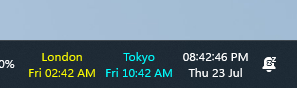 Latest version: 5.2 new
|
 |
Download and Try 1st Clock completely free for 30 days! |
 |
Get a full version of 1st Clock now! |
 |
Having questions? Click here to contact us! |
|
|
 |
1st Clock RSS news feed |


System Requirements:
Windows 10 or 11
You may also consider the following software:
ActionOutline - store and arrange all your information in a tree outline form
1st AutoRun Express - make autorun CDs that will run your documents, web pages, presentations etc. No programming or design required!